YouTube & personal videos
Combine takes, cut the pauses and add an opening title.
A free online video editor for trimming clips, adding text and music, and putting it all together. Edit in your browser. Your files stay on your device.
No account required. Works best in desktop Chrome or Edge.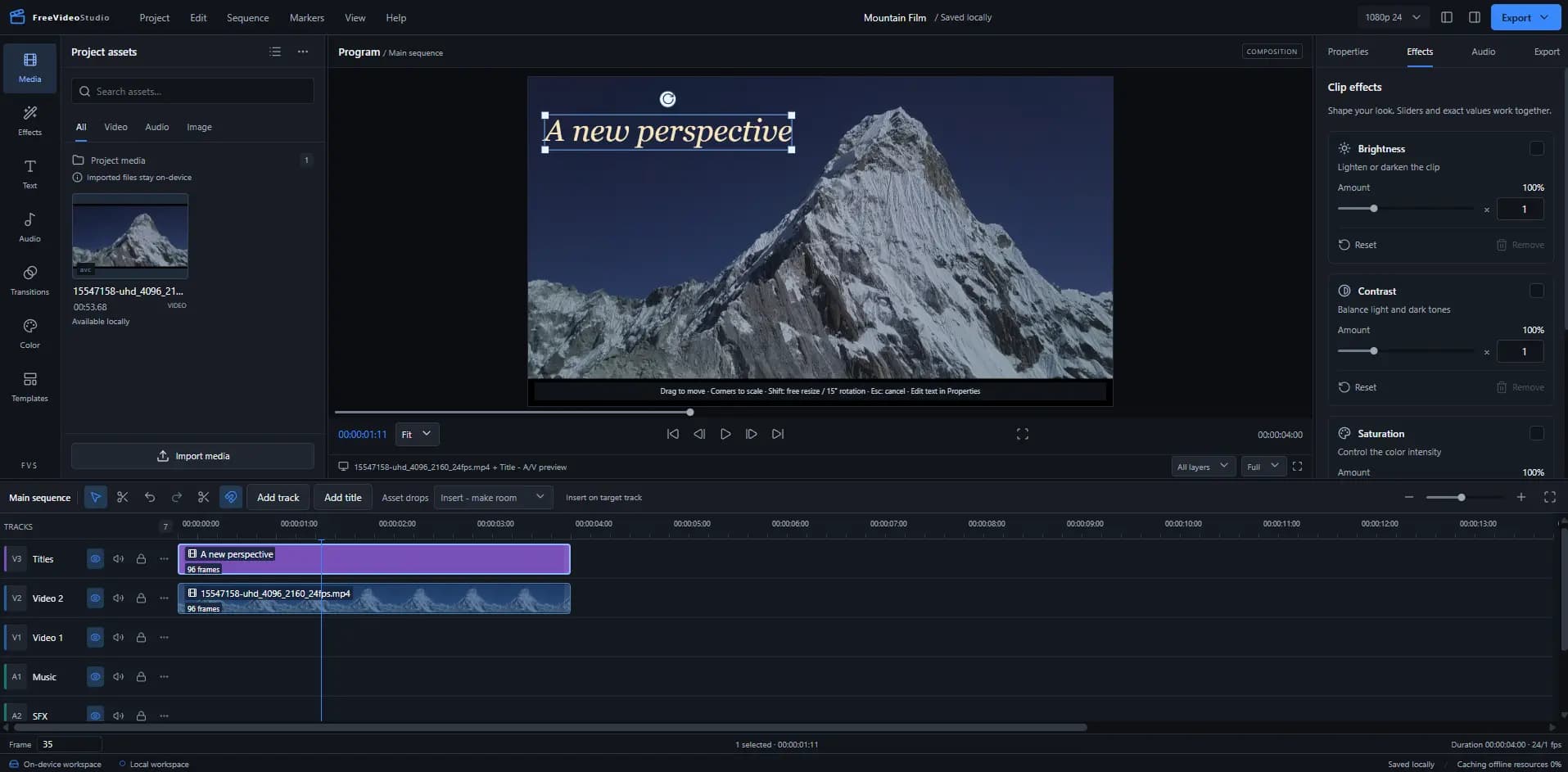
Cut down a recording, build a product walkthrough, or turn a weekend of clips into one video. Work with your own footage on a timeline that brings video, images, titles and audio together.
Combine takes, cut the pauses and add an opening title.
Arrange recordings, add text to explain a step, and adjust the audio.
Bring photos and video clips together with your own music.
Edit picture and sound in one workspace, with control over every clip.
Remove a section you don’t need or move a shot into place. Work across multiple tracks, trim to a specific frame, and undo a change when you want to try another cut.
Open the editor, add your files and start building your timeline.
Drag video, images and audio into the media library. Supported formats include MP4, WebM, WAV, PNG, JPEG and WebP.
Arrange your clips across tracks. Trim or split a shot, add a title, adjust the color and mix in your audio.
Choose an available MP4 or WebM format and save the finished video to your device. You can also export audio as WAV.
FreeVideoStudio processes your media in your browser. Your original videos, photos and audio aren’t uploaded to an editing server.
Yes. The editing workspace is free to use, including the multitrack timeline, text, color controls and supported exports. Open the editor and start with your own files. You do not need to create an account.
Your footage is processed on your device. Imported media and project data are stored in your browser. Optional website analytics measure site use, and never include your files, footage or project names.
Use a recent desktop version of Chrome or Edge for the most complete editing experience. Import and export support depends on your browser’s codecs and device. The editor checks capabilities and disables unsupported export options.
Import supported MP4, WebM, WAV, PNG, JPEG and WebP files. Export your timeline to MP4 or WebM with synchronized audio, or export an audio-only WAV. Actual codec availability depends on your browser.
Yes, after the editor has cached its offline workspace. Open the offline workspace panel and wait for “Offline reopen cached” before disconnecting. You can also install the app where your browser supports it.
The current workspace autosaves in your browser. Keep backups of your originals and download a portable project archive for safekeeping. Clearing browser storage or changing devices can remove access to local projects.
Open the free editor, add your files and make your first cut.
Start editing for free